I want to talk about something small that I think matters a lot.
When we published the V8 Nexus AI Skills Notebook earlier this year, the goal was simple: give busy professionals six prompts they could actually use on Monday morning. No theory. No jargon. Just: here’s the problem, here’s the prompt, here’s what it produces.
The feedback surprised me — not because people liked it, but because of what they said. A lot of you told me you’d come back to it more than once. That you’d adapted the prompts. That Skill 05 (the pre-call research brief) had become part of your actual preparation routine.
That’s exactly what it was built for. And it told me the notebook deserved to be kept current.
So this month, I’ve refreshed it.
What changed — and why it matters
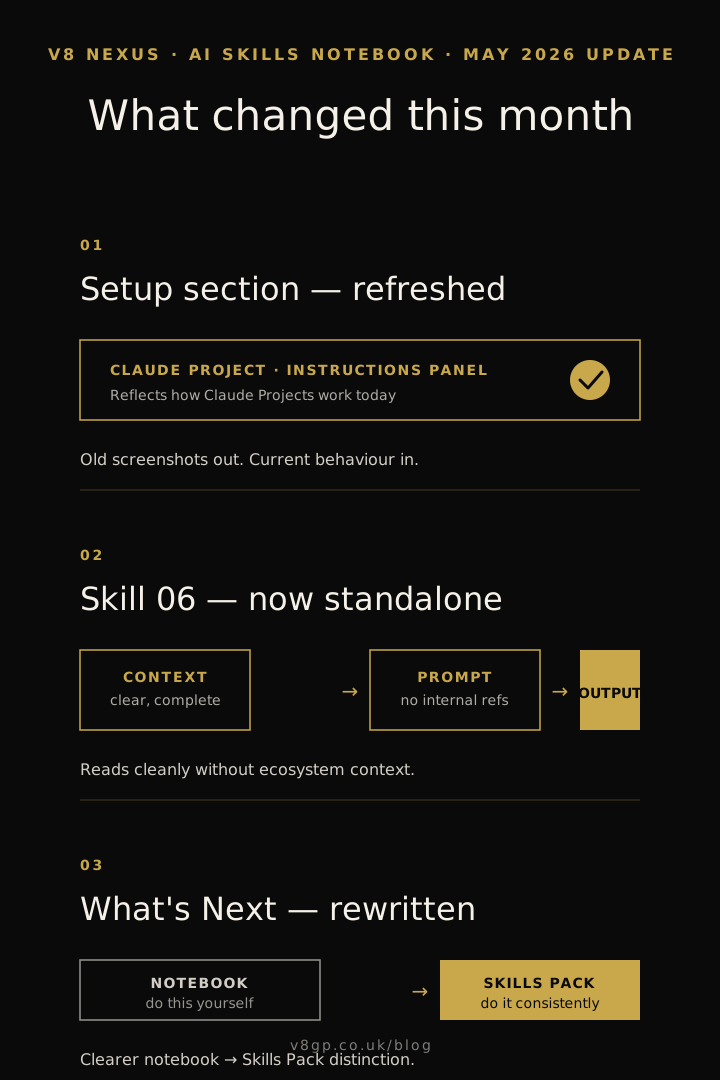
The setup section now reflects how Claude actually works today.
Claude Projects have evolved since the notebook was first written. The instructions panel works differently, the way you save context has changed, and the screenshots were out of date. A new reader following the old setup guide would hit confusion before they even ran their first prompt. That’s fixed.
Skill 06 now stands cleanly on its own.
The follow-up sequence skill is one of the most-used in the notebook. It now reads as a complete skill from end to end — clear context, clear prompt, clear output — without any internal references that only make sense to someone already inside the V8 ecosystem. If you’re new to the notebook, Skill 06 will land just as cleanly as the first five.
The path forward is clearer.
The notebook ends with a section called “What’s Next” — introducing the V8 Nexus Skills Pack for anyone who wants to go further than six prompts. That section has been rewritten to make the distinction clearer: the notebook gives you the skills to do this yourself, and the Skills Pack gives you the systems to do it consistently without thinking about it each time.
Why I keep updating this
AI tools change quickly. Claude’s behaviour, its features, the way Projects work — all of it shifts faster than most software. A notebook that was accurate in January may be quietly misleading by May, not because anything broke, but because something better is now possible and the old instructions don’t reflect it.
I’d rather update it than let people follow instructions that no longer match the tool.
There’s also a second reason. The more I watch how V8 Nexus members actually use these prompts, the more I understand what’s missing, what’s confusing, and what needs to be said differently. This isn’t a curriculum I wrote once. It’s a working document — and working documents improve.
Who this is for
The notebook is still free. Still the entry point for anyone who wants to understand what AI can practically do for their working week — without needing a technical background or a marketing team.
If you’ve already downloaded it, the update is worth revisiting. Particularly the setup section if you haven’t properly configured a Claude Project yet — that single step will make every other skill in the notebook significantly more useful.
If you haven’t downloaded it yet, now is a good time.
And if you’ve been using the prompts and want to share what’s been working — or what hasn’t — I’d genuinely love to hear. The best improvements to this notebook have come from conversations with people in this community.
That’s what V8 Nexus is for.
The AI Skills Notebook (Claude Edition) is available free to all V8 Nexus members. Join the community to access the latest version.